AI Corridor Modeling for Intersection Design and Reconstruction
Engineers get faster geometry and scenarios, but keep the decisions.
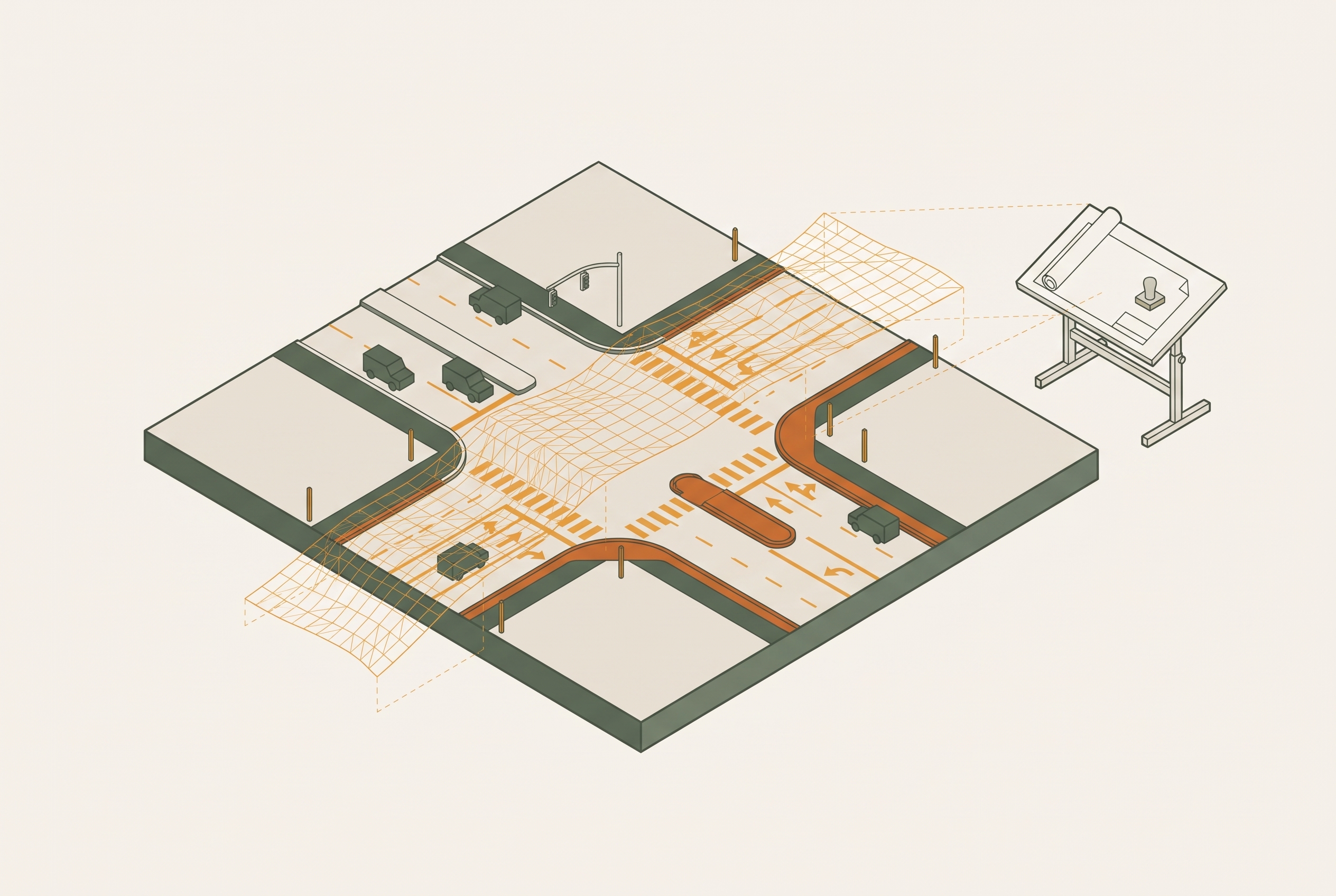
AI corridor modeling helps with intersection design and reconstruction today, but it works at set stages of the workflow while engineers still make the design decisions. It accelerates geometry setup, scenario iteration, surface generation, and supporting deliverables. Engineers gain the most when they match each tool to those tasks and concentrate licensed judgment on design criteria, validation, and approval.
Why corridor and intersection modeling is a productive target for AI right now
Claims that AI designs infrastructure gloss over how corridor work gets done. Much of the effort consists of applying defined rules to supplied geometry, then rebuilding the result when an alignment or profile changes. The outputs are concrete and bounded. Design surfaces, feature lines, assemblies, profiles, and corridors follow from inputs that engineers can inspect. This makes geometry production a more precise target for automation than an open-ended request to produce a complete design.
Civil Survey Applications’ Corridor EZ, released for Autodesk Civil 3D 2024, demonstrates that narrower application. It automates the initial design of roads, intersections, cul-de-sacs, and knuckles, using AI to reduce subdivision road network layout time from hours or days to minutes. From the completed design, it generates design surfaces, profiles, feature lines, assemblies, and corridors. The gain is in setup and model production. Engineers supply the surfaces, alignments, and constraints and keep control of the design decision.
Civil 3D 2027 applies machine learning to another geometry task through AI-assisted horizontal regression analysis. Its optional detection method, available when Autodesk AI is enabled, analyzes complex survey data and produces more consistent regression results, while retaining the existing Classic method. A modeless interface lets engineers evaluate and edit alignments directly in the drawing without leaving the workflow. This shifts effort toward validating design intent. Because corridor work involves repeated alignment shifts and profile changes, reducing geometry cleanup can benefit more than the initial model build.
How connected design optimization changes multi-scenario intersection evaluation
The bigger time savings come when faster setup lets a team try more scenarios. Under a sequential modeling process, each alternative competes for the time needed to build and evaluate it. Compressing that work changes the range of options a team can examine before a review. The benefit is not simply an earlier first model, but a broader basis for selecting a configuration.
A regional DOT evaluating three interchange configurations illustrates the change. The team can model each corridor, compare earthwork and drainage impacts, and present a data-backed recommendation to stakeholders in one review cycle. Doing the same work with sequential modeling could previously take weeks.
Connected design optimization extends that comparison by allowing grading, drainage, and corridor alignments to evolve within a shared model. Engineers define goals and constraints, including site boundaries, slope limits, regulatory setbacks, cut and fill targets, and utility clearances. Software then creates several workable options, flags conflicts automatically, and updates quantities in real time. The constraints remain the basis for the exploration. Engineers still need to check whether the constraints used to generate options match what the project needs.
Consequently, cost and safety trade-offs that might once have gone unexplored can enter routine evaluation. A second scenario no longer has to justify another week of modeling before its merits are understood. That changes how engineers spend the available design time, while they retain the final choice.
Bringing early street and intersection design into real-world context before detailed engineering
Scenario evaluation also depends on the quality of the planning information entering detailed design. Early intersection configurations and detailed Civil 3D models have historically been separated by a handoff that can force rework. A layout chosen with too little context may need to change when detailed engineering begins. Earlier contextual testing addresses that disconnect. It allows lane arrangements and turning movements to be examined before the team commits to corridor detail.
Autodesk announced Autodesk Forma Street Design at AU26, with a beta waitlist open as of September 2026. It was not a fully released product at that point. The announced capabilities let civil engineers and transportation planners explore lane configurations and intersections in real-world context, design in 2D plan and section in sync, and test turning movements with vehicle tracking. The intended handoff takes that design directly into Civil 3D for detailed engineering without rework. Kimley-Horn, a consulting firm specializing in engineering, planning, and design, used an early version.
The broader connection is also part of Autodesk’s announced direction. Civil 3D will become a Forma Connected Client, enabling reference-based interoperability with Forma and Revit so planners, architects, and civil engineers work from shared project context. A unified geolocation engine across those platforms reduces manual transforms and model misalignment. Spatial consistency supports the handoff as well as the layout tools themselves.
Testing lane configurations and turning movements against real context during planning reduces the probability of costly realignment later. The distinction is important when evaluating an AI-supported workflow, because connected planning and interoperability support design continuity rather than independently making engineering decisions.
What AI does for intersection performance evaluation after the geometry is set
Once geometry is set, a different group of AI tools helps check performance. These tools consume field data and produce traffic performance and safety metrics rather than generate corridors or modify the design model. Computer vision can get information from video that would otherwise need manual observation or traditional sensors, giving engineers another way to understand how an intersection works.
LTRC Report 724 describes how turning movement counts, queue lengths, and signal phase information are produced automatically. The BTS AI-Enabled Vision System report describes how turning movement counts are combined with Signal Phase and Timing data to check traffic signal performance. The boundary between these evaluation capabilities and active signal control prevents a counting or queue-analysis tool from being mistaken for a system that selects or implements an operating strategy.
Safety research adds another form of analysis. Researchers at the University of Massachusetts Lowell developed an AI tool that scans both text and accident diagrams for inconsistencies and errors in crash reports used for intersection research. This addresses the quality of supporting evidence. It does not establish that a proposed intersection configuration is safe or produce a design approval.
The distinction from design-side AI is therefore functional. A corridor tool accelerates the production of structured geometry, while a performance tool helps interpret what happens at an intersection. Both can inform reconstruction work, but they answer different questions. Even with faster modeling, engineers still need operational evidence, and automated traffic measurements cannot set the design criteria for reconstruction.
Civil Survey Applications’ Corridor EZ, released for Autodesk Civil 3D 2024, demonstrates that narrower application.
Where AI handles document and deliverable production around the corridor model
The corridor model is only part of the production workload. Reports, typical sections, quantity summaries, special provisions, and annotations also have to communicate the design consistently. AI can help with this information too, though what it can do depends on the task. Predictable annotation outputs are different from searching a plan set or answering a question about a requirement.
Nomic AEC agents use natural-language questions to search highway plan sets, typical sections, special provisions, and reports, and provide citations. They support station/chainage-oriented questions and help reviewers check consistency across sheets and supporting documents before submittal. Their connections include project repositories such as Bentley ProjectWise, Trimble ProjectSight, Autodesk Forma, and SharePoint. The focus is access and consistency across project information. That is useful around a corridor model without implying that the agents create or approve every deliverable in the package.
Texas DOT’s AI Strategic Plan also points to ways to bring together project inputs from different sources. Its use cases include integrating survey data, terrain information, and design standards to generate initial road designs through 3D modeling. It also identifies integrating utility mapping data from various sources to find potential conflicts and reduce utility-related delays and safety hazards during construction. These are identified applications rather than evidence that every integration is already deployed.
Autodesk Assistant offers another kind of help, but its documentation says important information must be checked before anyone acts on it. Its Tech Preview has ended, and expanded capabilities are generally available. Availability does not eliminate the review requirement. An answer that helps locate or interpret information still needs scrutiny before it becomes the basis for a design decision or a submitted document.
Where licensed engineering judgment still governs and AI does not substitute
The practical boundary lies between producing an output and accepting it for engineering use. Alignment decisions, design criteria selection, and sealed deliverables remain with the licensed engineer. Automation can execute geometry and optimization tasks, but it cannot assume responsibility for whether the selected criteria fit the project. Review is therefore part of the workflow itself. It is not an extra precaution added after the productive work is complete.
That distinction puts the focus on checking the assumptions behind an output. Multiple options remain useful only to the extent that their comparison reflects the relevant project requirements. More consistent regression results also need to be checked against design intent. When the mechanical work goes faster, those judgments stand out more and remain just as necessary.
The same boundary applies downstream to traffic and safety analysis. Vehicle counting and queue analysis produce evidence that informs decisions, while signal timing or geometric recommendations require engineer review before they can be sealed. UMass Lowell’s safety manual calibration work produces local predictive models. Applying those models to a specific intersection design and signing off on the result is an engineering act. A model’s predictive role does not confer approval authority.
Autodesk Assistant’s verification requirement makes this division explicit for generated responses as well. Different outputs require review appropriate to their use. Engineers can hand off repetitive production while still controlling how criteria are applied and which outputs are accepted. Licensed capacity then shifts toward validation, where understanding the consequences of a design choice is more valuable than repeating its mechanical setup.
How AEC firms actually implement these tools without stalling on adoption
Capturing these gains requires more than making software available. Complexity, culture, and connection do more than cost alone to hold back the use of AEC technology. A tool can accelerate an isolated task without improving the wider workflow if teams cannot use its outputs or understand its limits. Adoption therefore needs an integrated approach. Training, project phases, and team responsibilities have to connect with the technical capability.
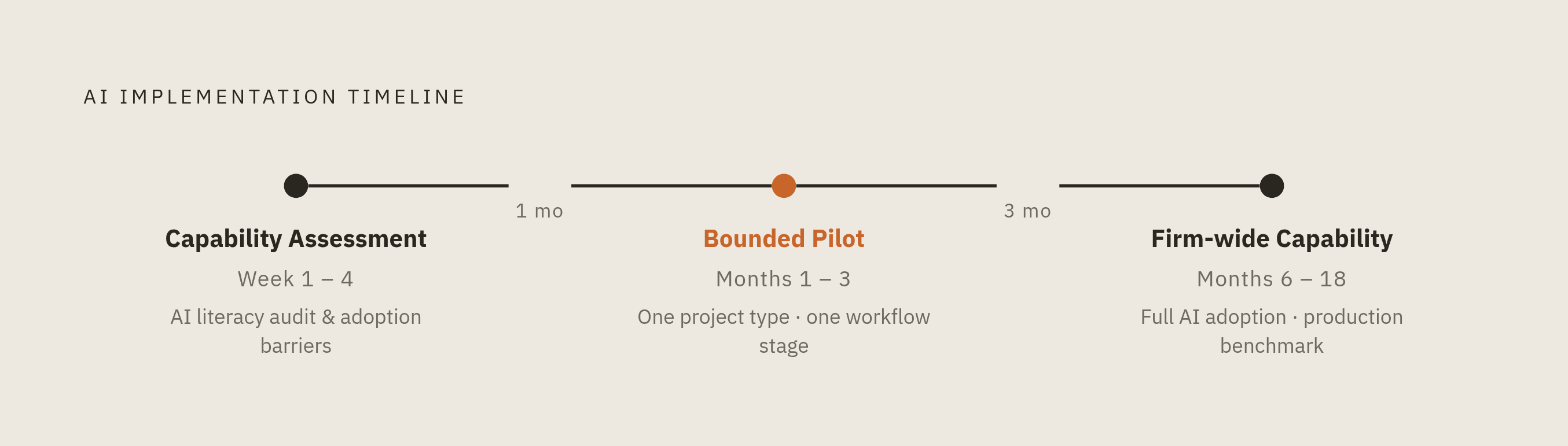
For firms putting that approach into practice, the starting point is a capability assessment of existing AI literacy and adoption barriers. A phased implementation then moves through a pilot in the first months and targets firm-wide AI capability by months six through eighteen. Training needs to change as AI tools can do more. Training for each role should focus on real work in project management, design production, and operations. Each cohort needs guidance tied to the decisions and outputs it handles.
For corridor and intersection work, a productive pilot is narrow. It can focus on one project type, such as a signalized intersection reconstruction, and one stage, such as geometry setup or scenario comparison. The measurement is the firm’s own baseline for how long that stage takes. This gives the pilot a concrete purpose rather than turning it into a broad AI adoption initiative with no clear production benchmark.
Tools that fit Civil 3D, ReCap, and Forma let engineers do more in software they already use, without the added work of taking on parallel systems or data migration. The lesson is to fit AI to the firm’s working environment rather than rebuild the environment around AI.
The gains then compound through institutional knowledge. Firms that begin with bounded tasks develop calibrated workflows and role-specific understanding that can make subsequent projects faster. Firms that wait postpone the immediate time savings and that accumulated learning, creating a widening capability gap.
Sources
- How Autodesk Forma and AI are advancing a more connected future for AEC
Supplied the details on Forma Street Design, the Civil 3D handoff, the Forma Connected Client direction, and the Kimley-Horn early-use example.